Best Ollama Models by VRAM: Coding, Chat & Pull Commands
Outdated Ollama roundups still point developers to Llama 3.1 8B or Qwen 2.5 7B. Here are the top November 2026 open-weight models across 8 GB, 24 GB, and 512 GB memory tiers—plus pull commands and the 64K context fix for coding agents.

THE STORY IN THREE POINTS
- 8 GB VRAM picks: run Liquid AI’s LFM2.5-8B-A1B (8B total / ~1.5B active sparse MoE, 128K context, BenchLM 35.6) or Qwen3 8B (ollama pull qwen3:8b) for responsive laptop chat and light scripting without system-RAM spillover.
- 24 GB single-GPU picks (RTX 3090 / RTX 4090 / 32 GB+ Mac): Thinking Machines’ Inkling 2 Mini leads general reasoning (ollama run inkling-2-mini, ~20 GB download, 1M context, BenchLM 55.9–56.0), while Apache-2.0 Qwen3.8-27B (~18 GB, BenchLM coding 55.3, 61.7% SWE-bench Pro) or qwen3-coder:30b anchors local agentic coding.
- 4x80 GB or 512 GB Mac workstation flagship: Ornith-1.5-397B (ollama pull ornith-1.5:397b, ~242 GB download, MIT license, 256K context, BenchLM 63.1–63.2)—and whenever connecting any local Ollama model to Claude Code, OpenCode, or Aider, raise OLLAMA_CONTEXT_LENGTH from 4,096 to at least 64K tokens.
Why 2024–2025 Ollama recommendations leave performance on the table
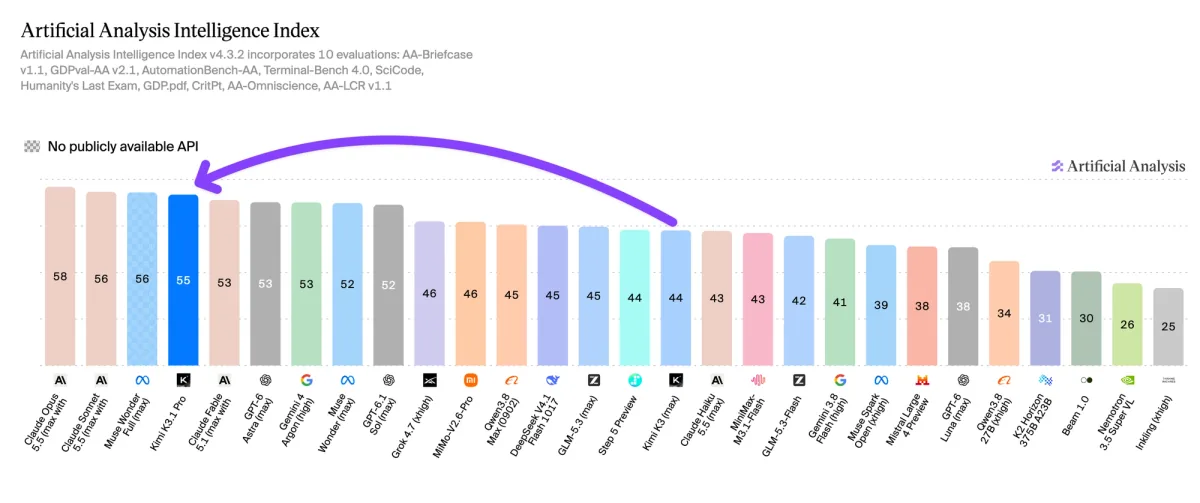
Search interest in Ollama more than doubled (+124% YoY) as local inference became standard for privacy-sensitive coding and offline prototyping, yet dozens of top search tutorials still tell developers to pull legacy llama3.1:8b or qwen2.5:7b weights. As BenchLM’s November 20 Ollama leaderboard and Morph’s November 11 test suite demonstrate, sparse Mixture-of-Experts (MoE) hybrids, looped transformers, and late-2026 dense checkpoints now deliver frontier-adjacent coding and reasoning scores inside identical consumer VRAM footprints.
Selecting from the Ollama Model Library works best when segmented strictly by available GPU VRAM (plus KV-cache headroom), because spilling even 10% of model layers across PCIe into CPU RAM slashes token generation speed sharply—a runtime boundary we examine alongside GUI tooling in our Ollama vs LM Studio comparison.
8 GB laptop GPUs vs 24 GB RTX 3090/4090 workstations
At the 8 GB VRAM entry tier (laptop RTX 4060/5060 or 16 GB unified-memory laptops), WhatLLM and BenchLM highlight Liquid AI’s LFM2.5-8B-A1B (8B total parameters with ~1.5B active per token via gated convolutions and attention, 128K context, BenchLM ~35.6) alongside qwen3:8b (run ollama pull qwen3:8b). Keeping active parameters small preserves brisk interactive decode rates even on tight memory buses.
Stepping up to a 24 GB single card (RTX 3090 or RTX 4090) or 32 GB+ Apple Silicon Mac unlocks two standout late-2026 weights. For general multimodal chat and long-context reasoning, pull Thinking Machines’ Inkling 2 Mini (ollama run inkling-2-mini, ~20 GB download, ~26.4B total / ~5.4B active looped transformer supporting up to 1M context, scoring 55.9–56.0 on BenchLM, sibling to Inkling 2 Small). For dedicated repository engineering, Alibaba’s Apache-2.0 Qwen3.8-27B (~18 GB download, 55.3 BenchLM coding score and 61.7% SWE-bench Pro) and qwen3-coder:30b (ollama pull qwen3-coder:30b) comfortably outperform legacy 32B coding weights.
4x80 GB servers and 512 GB Mac Studio flagships
Organizations running 4x80 GB H100/A100 nodes or maxed-out 512 GB Apple Mac Studios no longer have to trade away permissive licensing for flagship reasoning. On BenchLM’s November ranking, Ornith AI’s MIT-licensed Ornith-1.5-397B (ollama pull ornith-1.5:397b, ~242 GB download, 256K context) posts 63.1–63.2—rivaling cloud Opus-tier models on agentic coding and terminal suites entirely inside an air-gapped local network.
Teams planning multi-user concurrent serving over 80 GB GPUs should keep Ollama strictly for single-developer laptops and staging workstations, migrating production API traffic to continuous-batching engines audited in our Ollama vs vLLM concurrency comparison and Qwen 3.8 Flash VRAM sizing guide.
Mandatory 64K context fix when pairing Ollama with coding agents
As Cohorte’s November 8 developer guide warns, the #1 reason local Ollama models appear dumb inside OpenCode, Aider, Cline, or Claude Code-compatible bridges has nothing to do with model weights: Ollama still ships with a conservative 4,096-token default context window (OLLAMA_CONTEXT_LENGTH).
At 4K tokens, an agent’s system prompt plus two file reads silently evict the user’s original instructions. Before launching agentic loops, set OLLAMA_CONTEXT_LENGTH=65536 (or configure num_ctx 65536 inside a custom Modelfile), verify 4–8 GB of headroom for FP16 or Q8_0 KV-cache memory, and enable flash attention (OLLAMA_FLASH_ATTENTION=1) so long-context prefills stay responsive.
Sources: Best Ollama Models Ranked by Hardware & Benchmarks|BenchLM ↗ Best Ollama Models Tested for Coding & Chat|Morph ↗ Best Ollama Models & 64K Context Agent Setup|Cohorte ↗ Best Ollama Models by VRAM Guide|WhatLLM ↗ Ollama Official Model Library|Ollama ↗
THE BROADER CONTEXT · FRONTIER LABS DOSSIER
Explore full product specifications, pricing analysis, and continuous coverage in the Frontier Labs Desk Hub and Qwen Dossier. Independent benchmarks available on the AI Intelligence Index and Coding Agents Leaderboard.