Grok Bot Now Joins Live Google Meet, Zoom, and Microsoft Teams Calls to Answer Chat Prompts and Track Decisions
xAI expands Grok Bot on Team, Enterprise, and Ultra plans to attend scheduled or link-invited meetings—supporting live text-chat Q&A, passive Muted note-taking, and post-call action items.
THE STORY IN THREE POINTS
- xAI rolled out live meeting participation for Grok Bot across Google Meet, Zoom, and Microsoft Teams on Team, Enterprise, and Ultra plans, letting users invite a Bot by link or auto-join via calendar.
- During calls, hosts admit the labeled transcribing Bot from the waiting room; participants can ask questions or assign work in meeting chat (including private replies on Zoom), or switch Disable Interactivity (Muted) for silent note-taking.
- Enterprise administrators control org-wide meeting access with a dedicated Meetings toggle under Bot Capabilities, while completed calls automatically post summaries, action items, or longer Pages links to the Bot chat.
Calendar auto-join and waiting-room controls across Meet, Zoom, and Teams
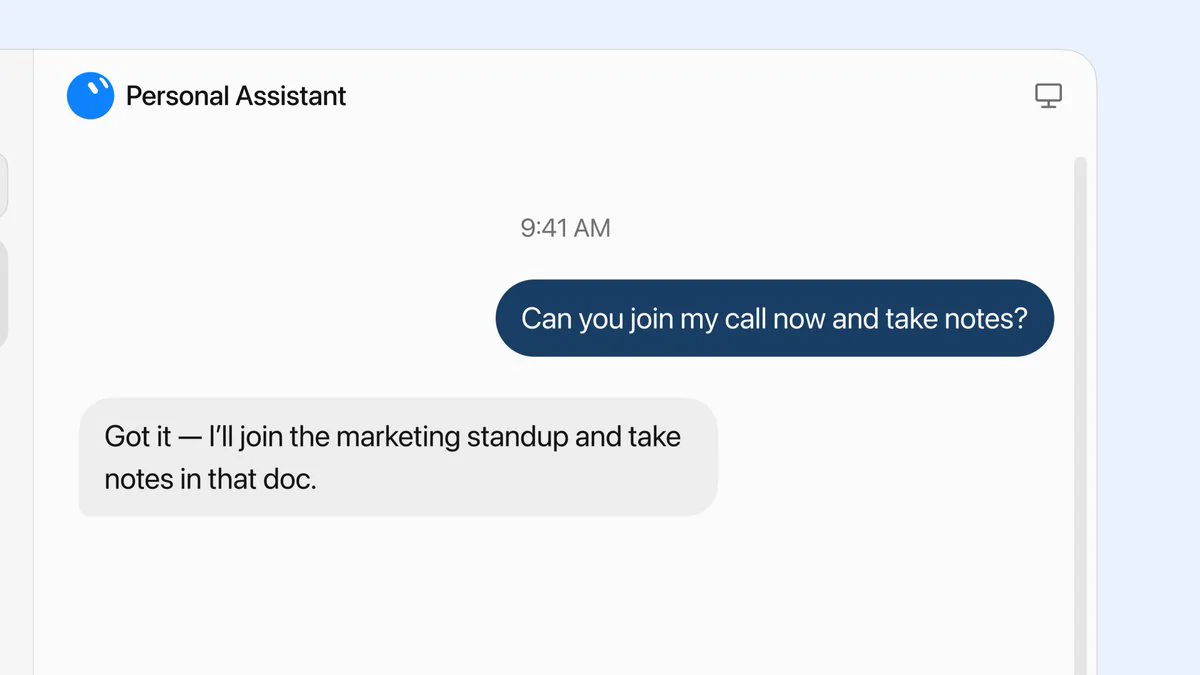
Announced via xAI’s official @bot account on November 13 (19:11 UTC / November 14 03:11 Beijing time) and backed by updated Grok Bot documentation, Grok Bot can now attend live video meetings on Google Meet, Zoom, and Microsoft Teams. Available to Team, Enterprise, and Ultra subscribers, a Bot can be invited ad hoc by pasting a call link into chat and approving its confirmation card, triggered from a pre-filled Suggested draft prompt, or set to follow a user’s calendar and join scheduled calls automatically.
Once a call begins, the human host must admit the Bot from the lobby or waiting room. To maintain transparency, the participant roster identifies personal instances as Bot name (your first name’s Bot) - transcribing and shared organizational instances as Bot name (Team Bot) - transcribing.
Meeting-chat Q&A, Zoom private replies, and Muted note-taking toggles
Rather than interrupting speakers via synthesized voice audio, Grok Bot interacts inside the meeting text chat when addressed by name—answering factual questions, picking up assigned follow-up work, and logging team decisions in real time. On Zoom, participants can message the Bot in private chat to receive private responses, while queries triggered from shared conference-room hardware are scoped to the room rather than an individual attendee.
Hosts and owners can adjust behavior from the Bot’s Upcoming queue using Meeting actions: selecting Disable Interactivity changes the row badge to Muted so the Bot keeps listening and transcribing silently without replying in meeting chat. While still scheduled, users can restore interactivity directly; once the Bot is already joining or inside a call, switching back requires clicking Quit and re-inviting it.
Credential safeguards, Pages follow-ups, and Enterprise Bot Capabilities switches
Because Grok Bot connects to workplace apps alongside macOS system connectors and 1Password vaults, xAI’s meeting guardrails prohibit sharing user credentials during live calls; if a participant requests held-back sensitive data, the Bot notifies the Bot owner who asked and prompts for explicit approval before sending anything. Each session inherits the settings of the person who initiated the meeting.
After hang-up, Grok Bot delivers structured meeting notes and action items directly in its chat thread—or formats extended reports as shareable Pages documents—and keeps past transcripts queryable on demand. On managed Enterprise tenants, IT teams govern rollout through the Meetings switch under Bot Capabilities documented in our Grok Bot enterprise governance overview.
Sources: Grok Bot Joins Meetings Announcement (@bot)|X ↗ Add a Bot to Your Meetings|xAI Grok Bot Docs ↗ Grok Bot Platform Overview|x.ai/bot ↗
THE BROADER CONTEXT · XAI DOSSIER
Explore full product specifications, pricing analysis, and continuous coverage in the xAI Desk Hub and Grok Bot & Team Bots Dossier. Independent benchmarks available on the AI Intelligence Index and Coding Agents Leaderboard.