Kimi Code Desktop adds Linux support and remote control
The October update lets users steer a local agent from another device while execution remains on the host computer.
THE STORY IN THREE POINTS
- Desktop version 1.1.0 is dated October 14.
- The release adds x86_64 Linux packages and a file-tree panel.
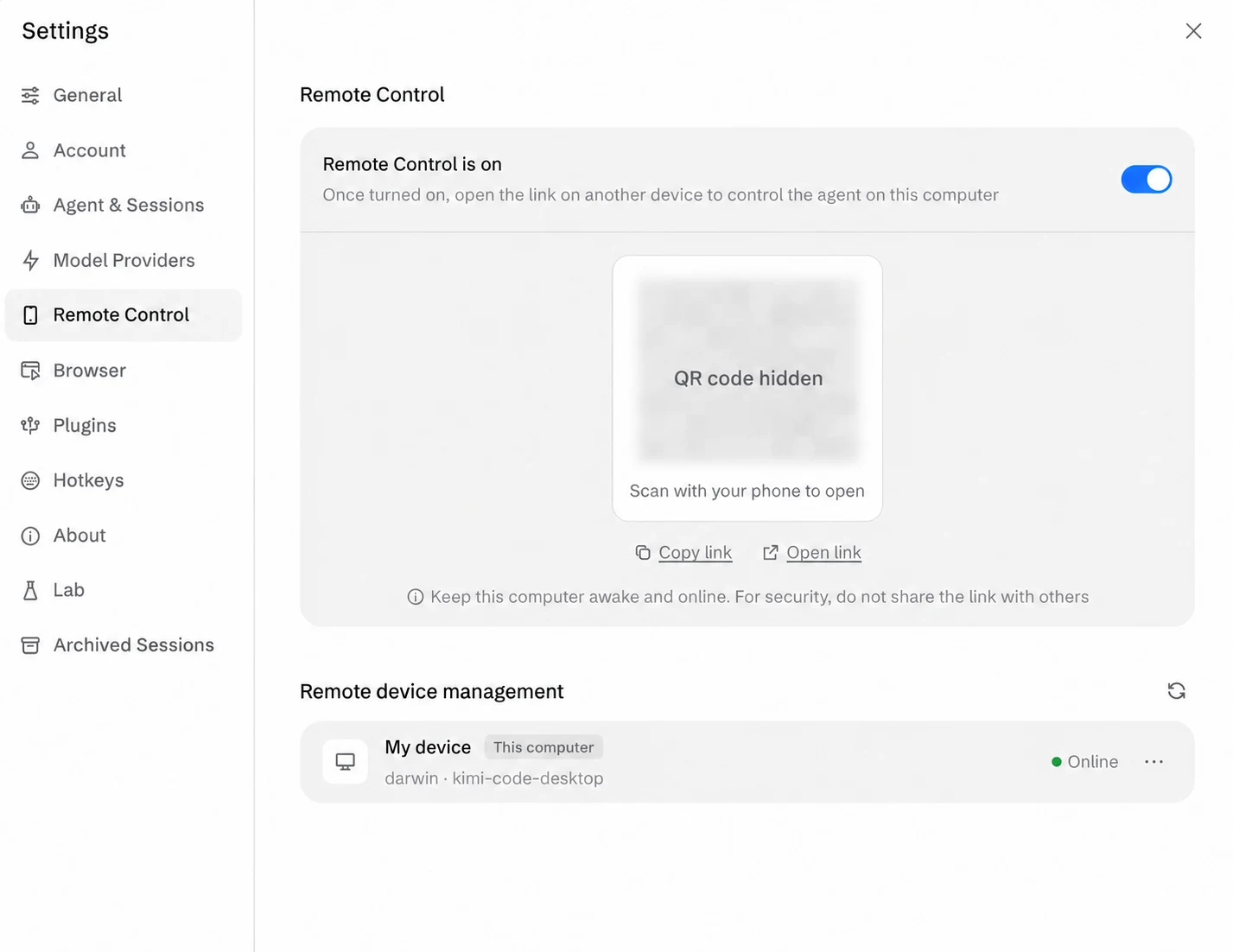
- Remote control does not move execution away from the Desktop computer.
What was announced
Kimi Code’s official release notes list Desktop version 1.1.0 on October 14. The update adds x86_64 Linux support through AppImage, deb, and RPM packages. It also introduces Remote Control, enabled in settings, so a user can steer the local agent from a phone, tablet, or another computer through a link or QR code.
The details that matter
Tasks and local tools continue to run on the computer hosting Desktop. The update also adds a file-tree panel for browsing, searching, refreshing, and previewing workspace files. These details come from the dated version entry rather than the current product homepage or an inferred release schedule.
Editorial context
Remote steering changes where a developer supervises a task, without necessarily changing where the code or credentials reside. A useful trial would check what happens when the controlling device disconnects, how pending approvals are presented, and whether the host’s work remains understandable on a small screen. Our editorial interest is continuity between local execution and remote oversight. Linux packages widen the set of potential host machines, but successful use still depends on the particular workspace, permissions, and clarity of the feedback a person receives.
Sources: Kimi Code Docs: What’s New — Desktop v1.1.0, October 14, 2026 ↗